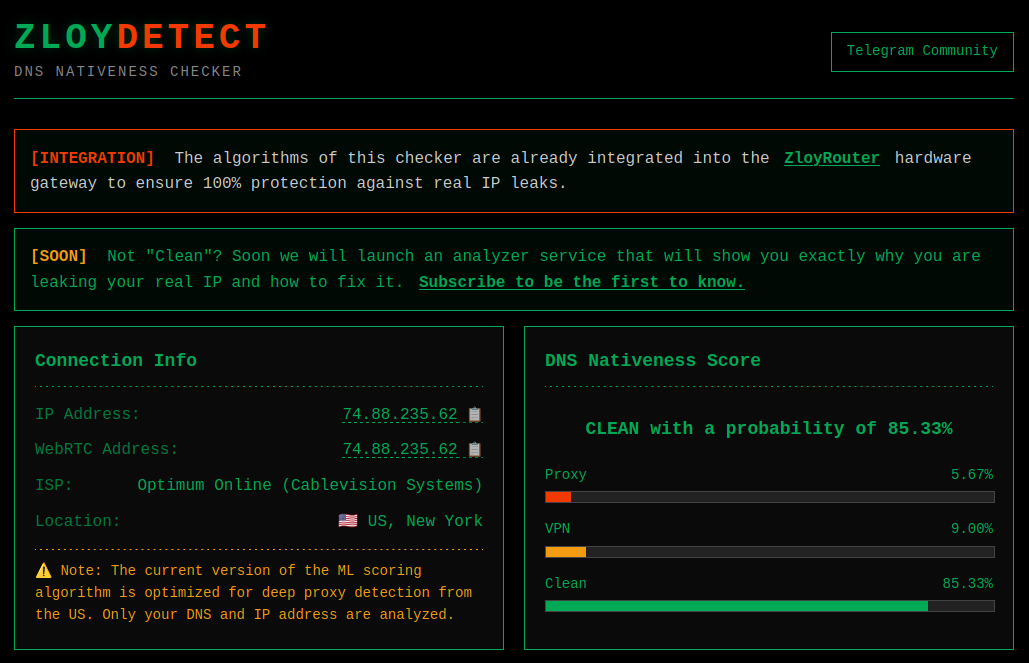
The nativeness of a proxy for anti-fraud (AF) systems is influenced by many parameters. Currently, the database of our nativeness check service contains 170 conditions and 2.5 million rules based on the matrix of these conditions — and each has its own weight in deciding who is in front of us: a residential proxy, a server proxy, a data center VPN, or a real native user.
When using a proxy, the provider may well give you a US IP address, while the DNS resolvers will be from Canada or even from Africa. But even if the resolvers turn out to be from the same state, there is no 100% guarantee that the AF system will recognize you as a native user. You need to test it every time.
Below, we will practically show the principles of how AF systems work and prove with real cases that having the correct DNS resolvers is still not a guarantee that your proxy will be recognized as native.
Table of Contents
Note
In the article, we show 2 ways the dnsdetect.zl0y.team service works: via an API request, so you understand the principles of its operation, and via a check on the website — which is how 99% of users use it.
We connected via proxy2web from 9Proxy with the following proxy (the proxy is configured in ZloyRouter, and we are connected to a Raspberry Pi's Wi-Fi):
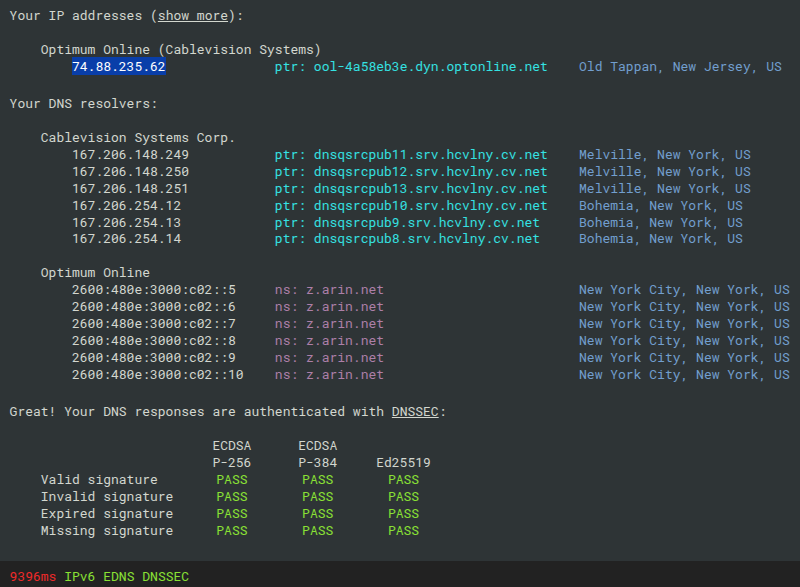
Now let's check its nativeness. We will copy the data and send a check request to our nativeness server:
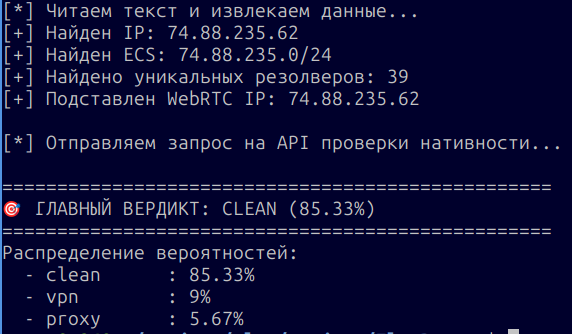
As we can see, the verdict is — we are a clean user.
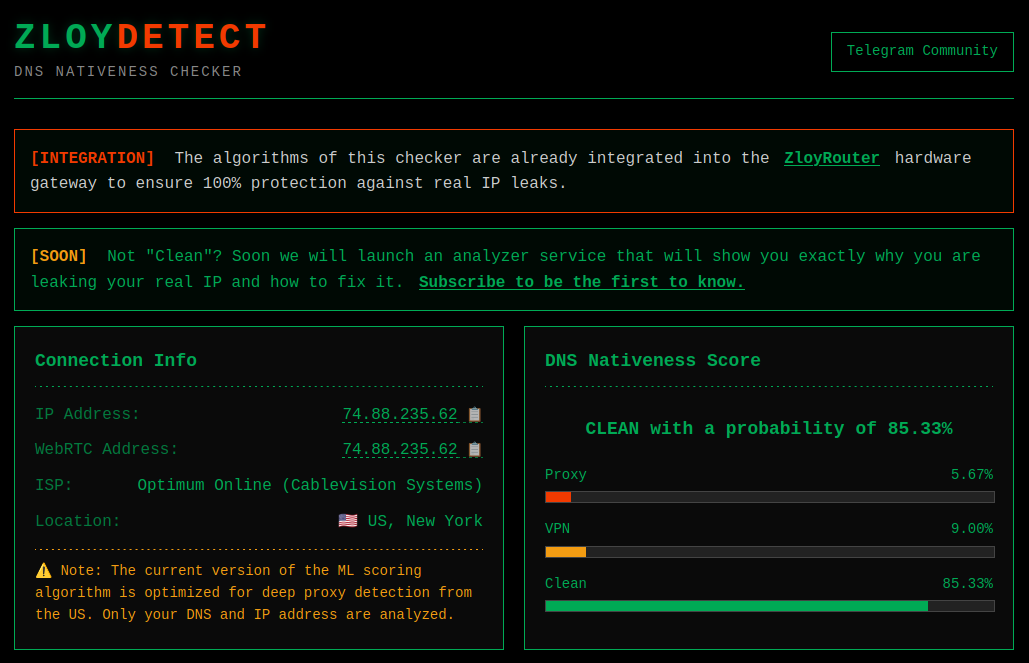
How so? Where is the expose? Let's figure it out.
Why did the anti-fraud output CLEAN?
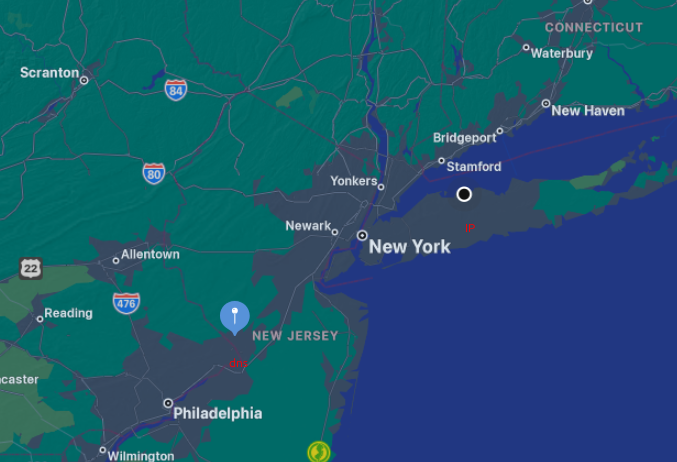
The anti-fraud system makes a decision based on the coincidence of multiple factors (more than 2.5 million rules). In our latest test, all the stars of a perfect profile aligned:
- Residential IP. 9Proxy gave us the IP 74.88.235.62 — this is a real pool of residential addresses belonging to the ISP Optimum Online (Cablevision Systems).
- Perfect DNS match. The dnscheck.tools output featured resolvers from the same ISP, Cablevision Systems Corp (167.206.148...).
- Correct ECS. The ECS subnet 74.88.235.0/24 perfectly matched our IP.
- WebRTC magic. We sent a webrtc_ip that is a 100% match with the real one:
74.88.235.62. - The remaining 2,499,996 rules also confirmed that the profile is as natural as possible.
Now let's test some less-than-perfect profiles.
Experiment 1: simulating a disabled/blocked WebRTC
Standard anti-detect browsers often simply disable WebRTC. For anti-fraud systems, a residential user without WebRTC is a massive red flag.
We didn't change anything, except that in the request to our nativeness service, we left the WebRTC field empty.
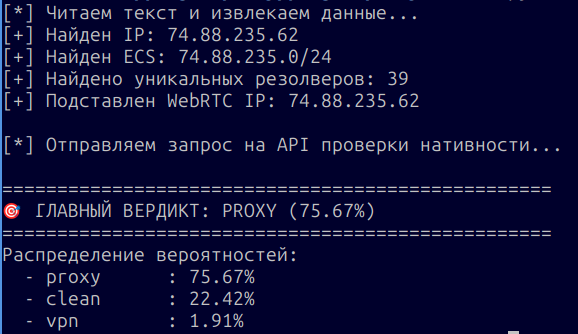
The situation completely reversed. Blocking WebRTC instantly slapped us with a red Proxy flag.
Experiment 2: simulating "dirty" DNS (what ZloyRouter protects against)
Imagine you bought a residential IP from Optimum, but 9Proxy routed the DNS queries through Cloudflare, Google, or servers in a data center (e.g., DigitalOcean).
As a result, the anti-fraud system will see a discrepancy: the IP is residential, but the DNS comes from a server data center. The PROXY probability will immediately outweigh the others.
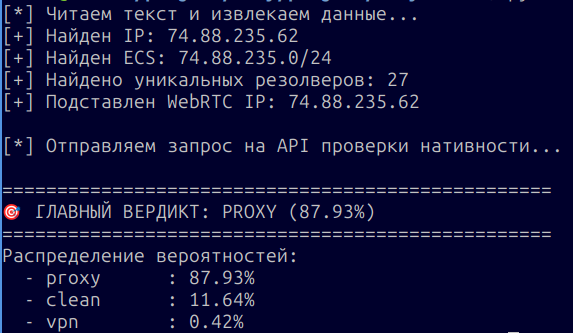
The probability of proxy detection increased even further.
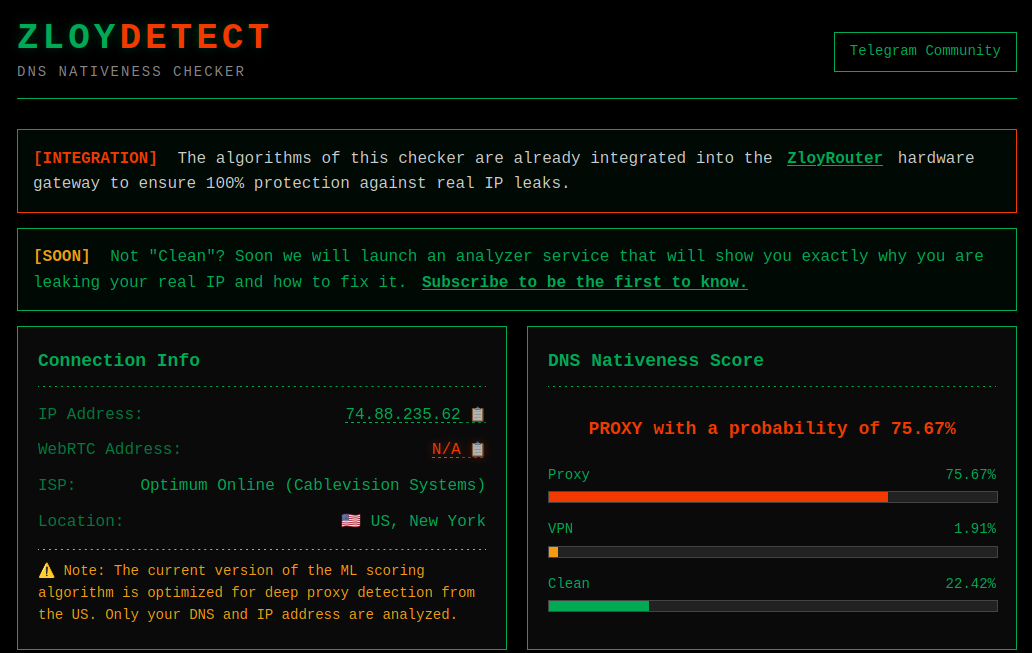
Here is what it looks like in the dnsdetect.zl0y.team service:
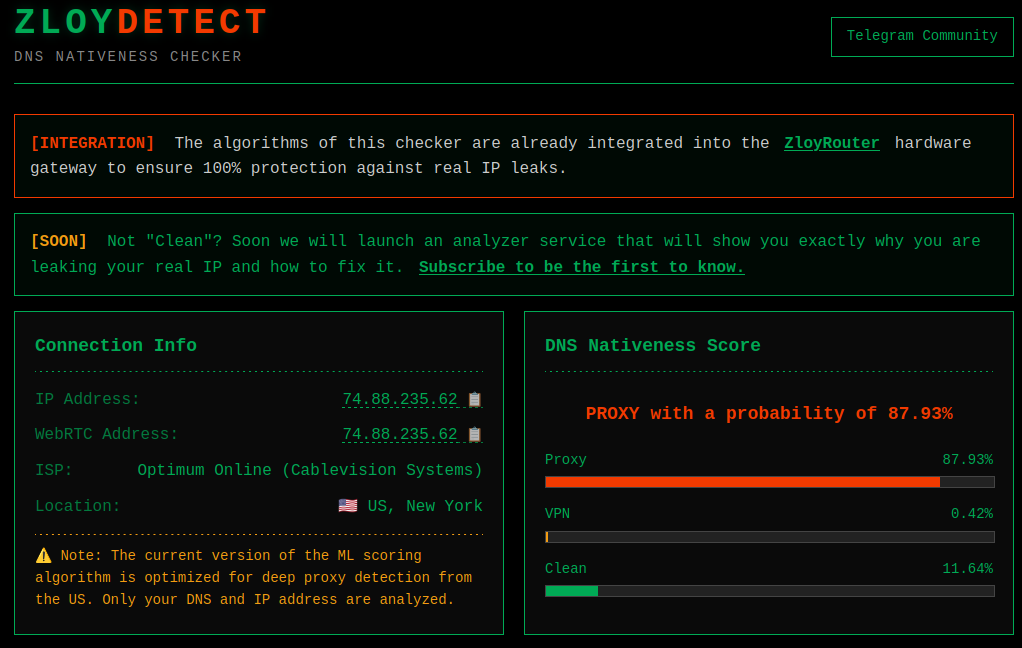
Tests on real proxies
Testing 9Proxy
You might say: "These are all your guesses and synthetic tests." Alright — below we simply went through 10 proxies from 9Proxy, and already on the 4th try, we stumbled upon the following results.
Important
During testing, we deliberately did not use WunderDNS to show the classic scheme without ZloyRouter.
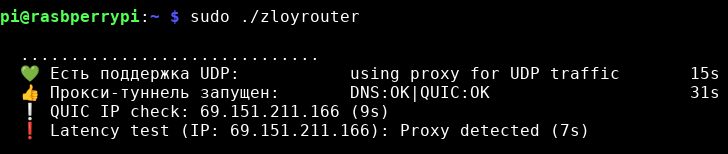
We connected to the proxy, and based on the primary parameters, everything seems fine.
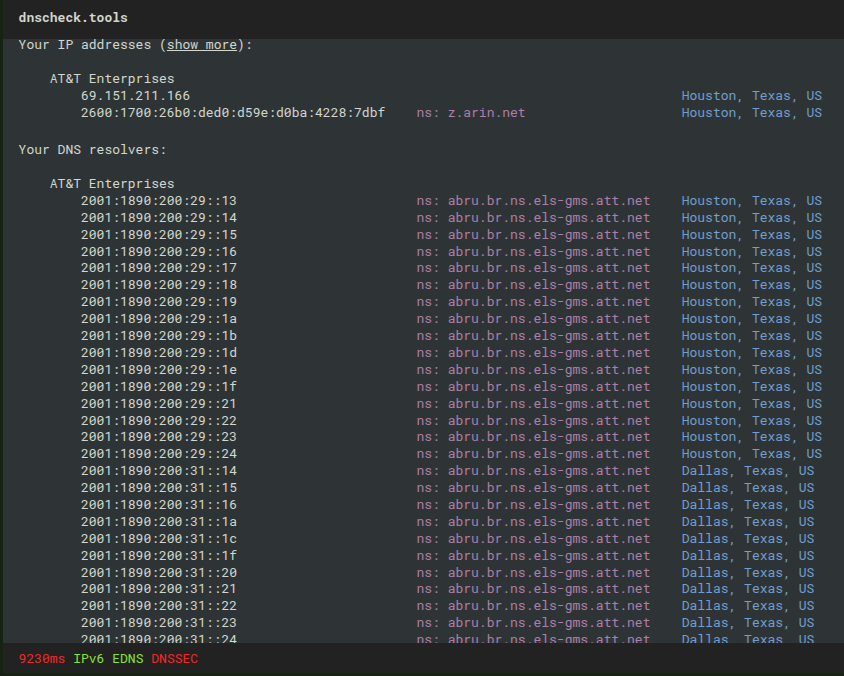
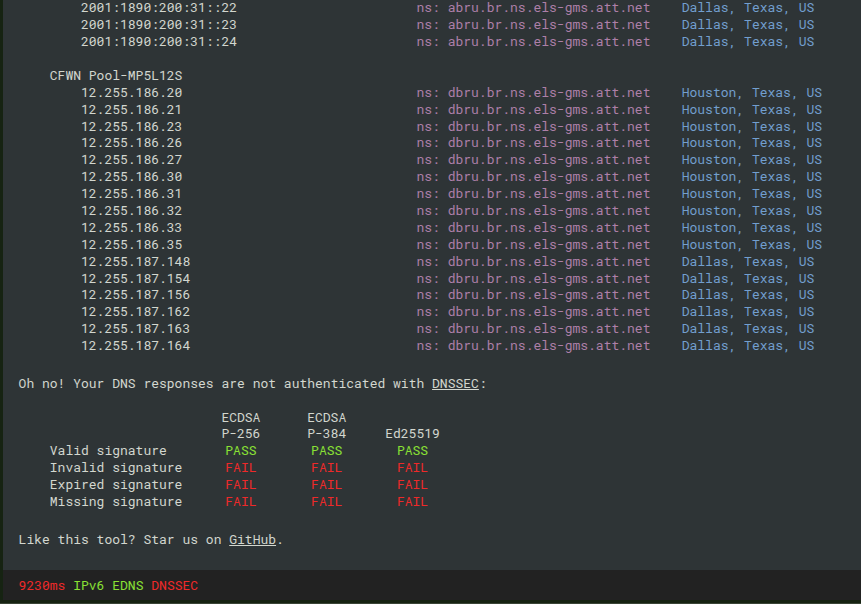
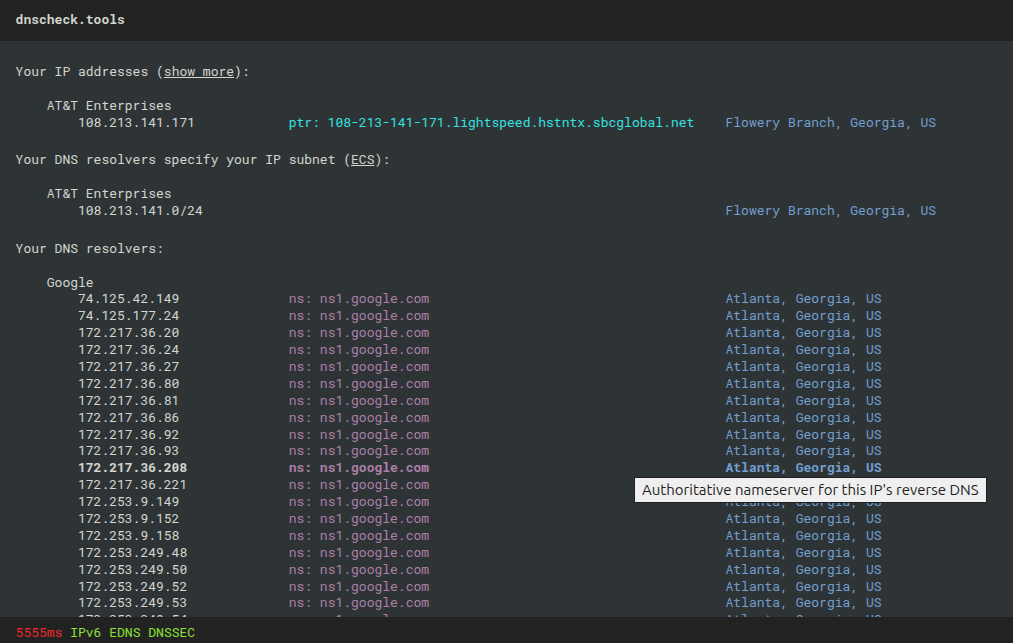
We checked the DNS resolvers — they also looked fine at first glance: the resolvers turned out to be local and from the same state.
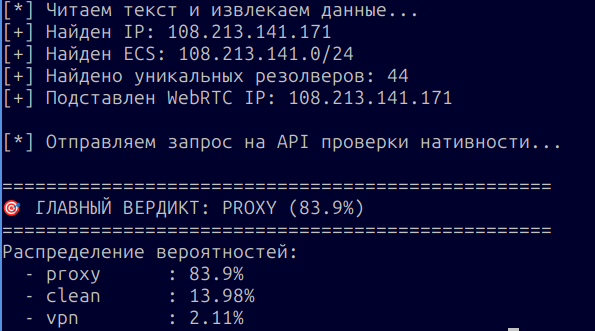
We copy the page with the resolver test results and send it for testing to our DNS and IP nativeness check service:
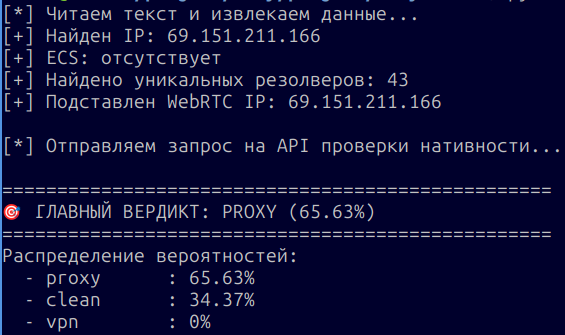
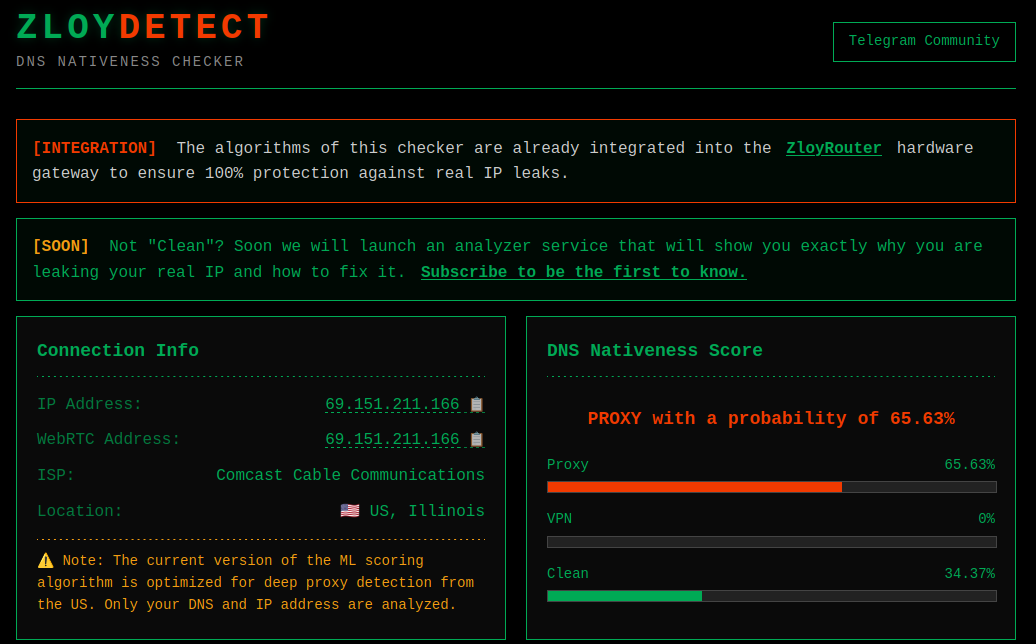
We get a Proxy probability of 65%. We see that ECS is missing — this happens with residential ISPs when they don't have public DNS resolvers at all.
A logical desire arises: "Aha, now I will manually substitute a relevant ECS, and everything will be fine." We try to trick the anti-fraud and substitute an ECS from the same subnet:
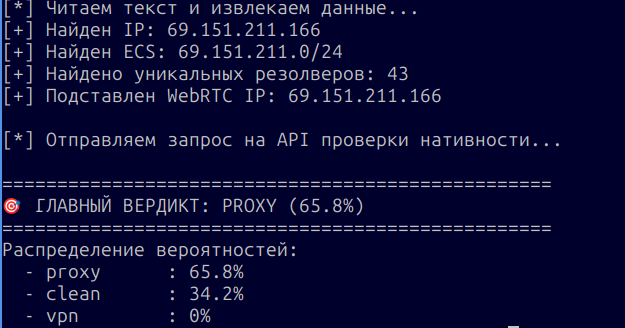
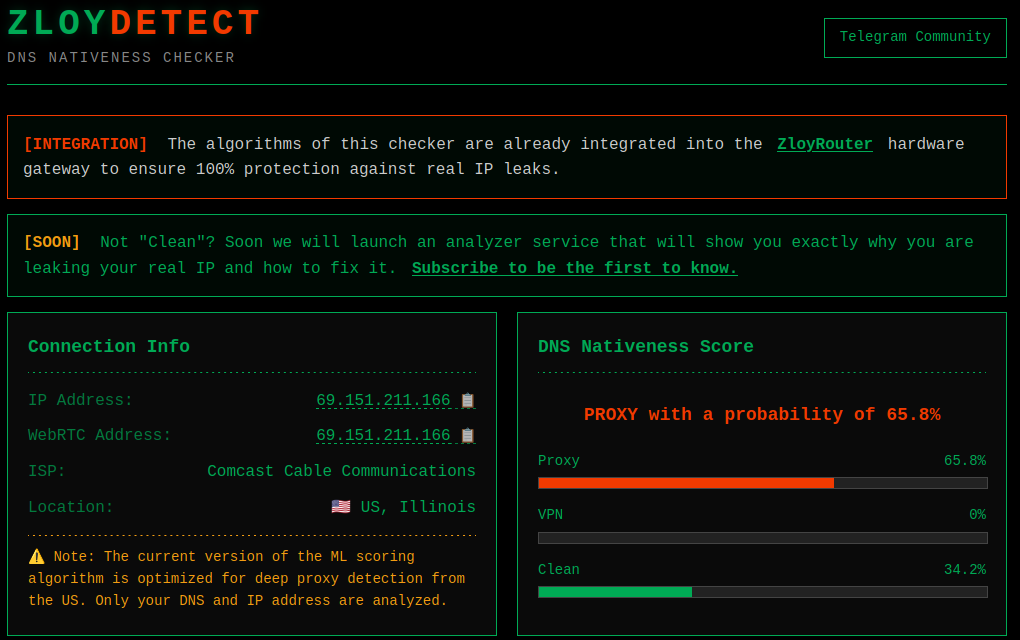
It didn't work — the Proxy probability percentage even increased slightly. The same goes for the website dnsdetect.zl0y.team:
Let's test one more proxy for good measure.
Testing:
And we immediately get a proxy detection.
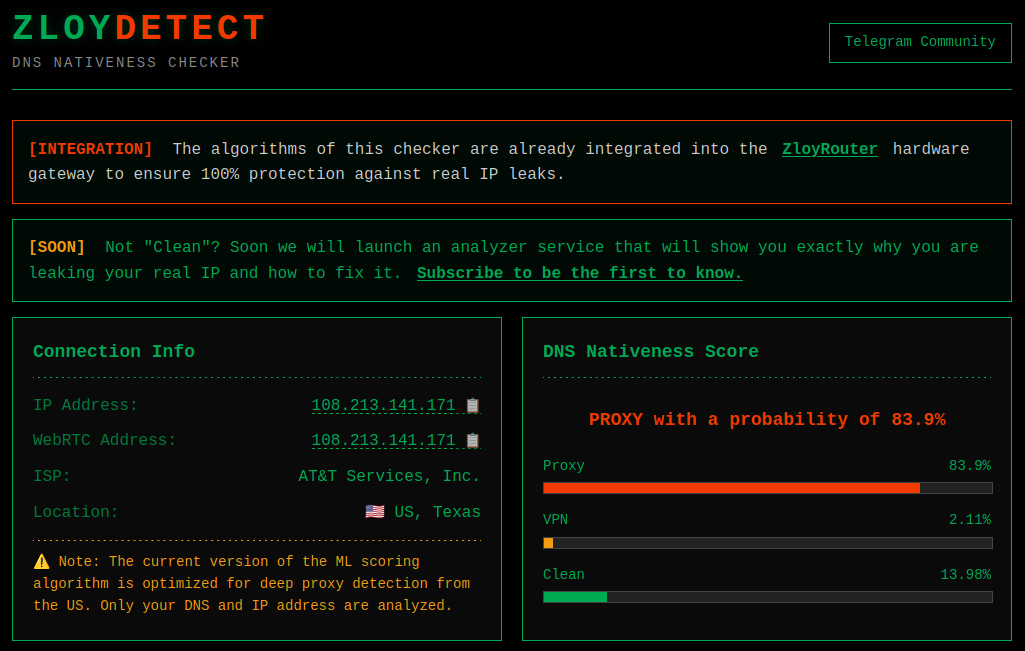
We could keep sorting through them, and the situation would keep changing. As they say, "it's a hit or miss."

Testing Nsocks
A quick digression: in our Nsocks dashboard, we had previously bought a few proxies that hadn't been used for a couple of weeks.
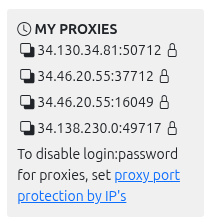
We tried to use them:
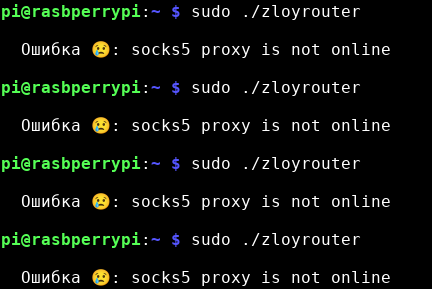
Nothing worked — they are all dead. Let's go shopping and grab some fresh US proxies!
Test #1
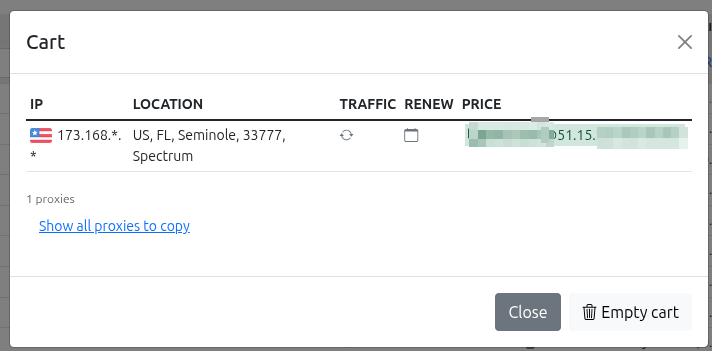
By the way, this is an expensive proxy — for $1.
At the initial testing stage, ZloyRouter reports that it doesn't support UDP:
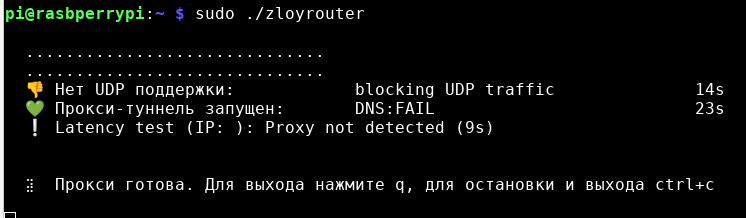
Sad, but maybe we'll get lucky? We gather the resolvers and run the test.
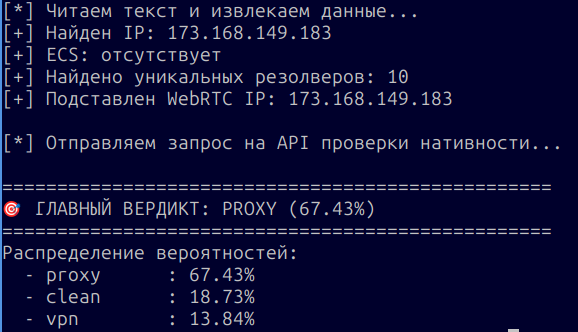
The same happens in 1 click when visiting the checker website dnsdetect.zl0y.team:
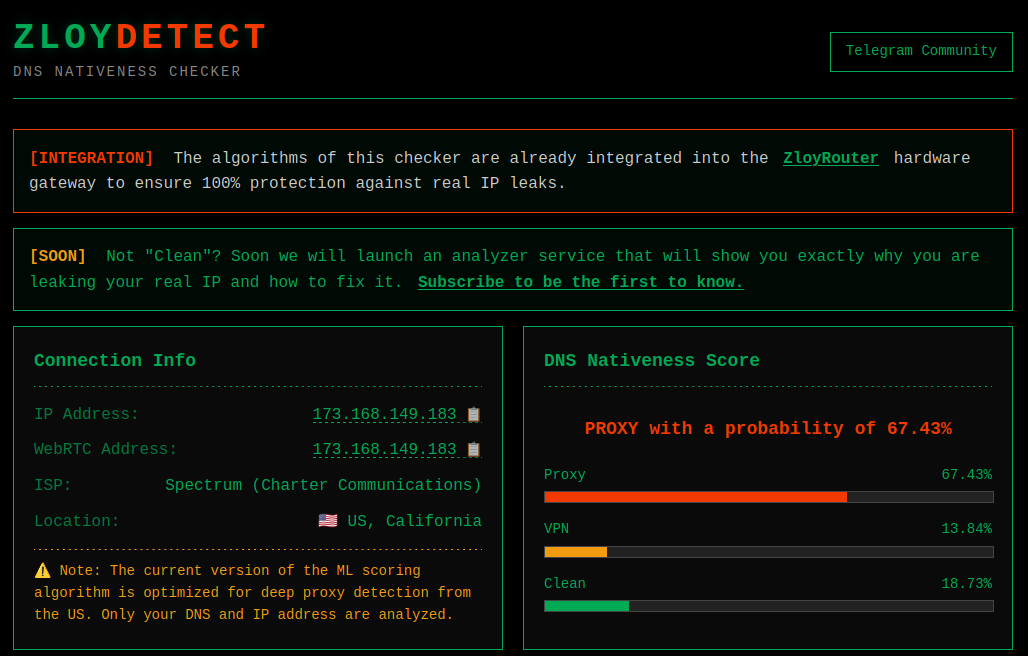
Verdict: an incomprehensible proxy, a hodgepodge of proxy, VPN, and clean user.
Test #2
Starting with the second test, we applied a stricter filter to get better proxies:
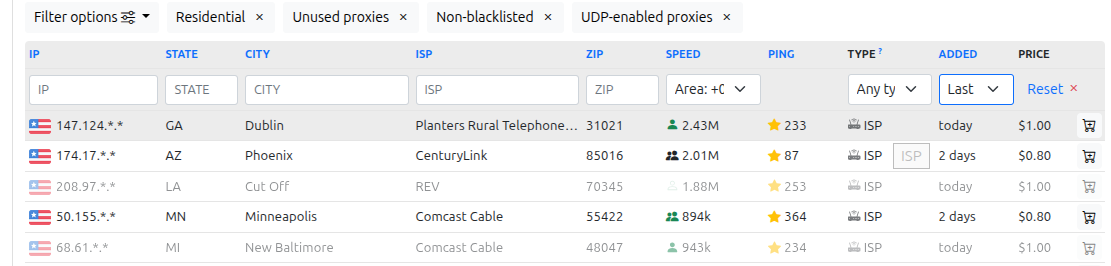
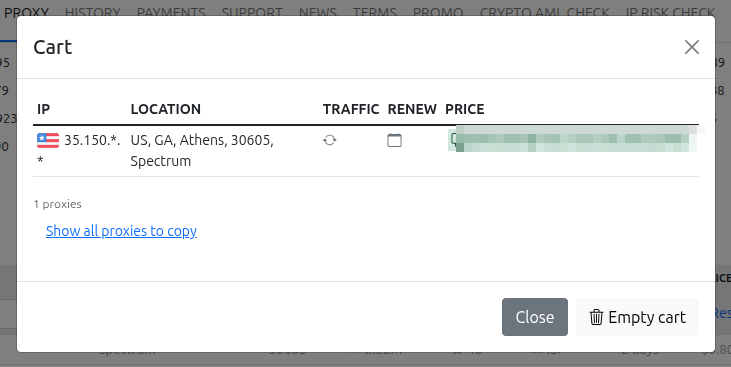
Buying a new proxy:
Testing on the checker website dnsdetect.zl0y.team:
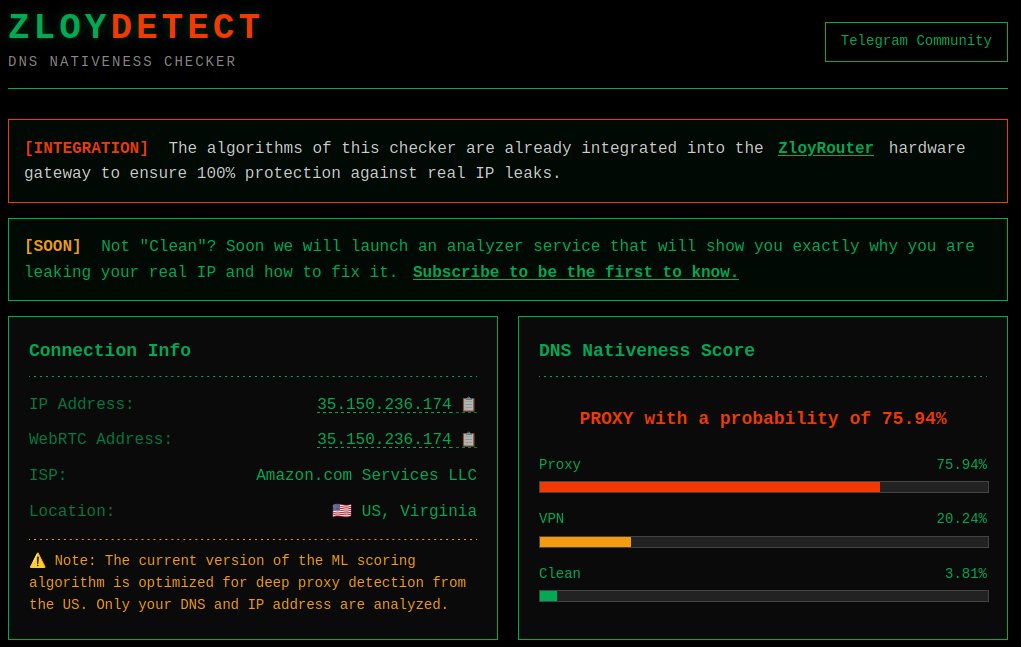
As we can see, a 3-day proxy with UDP support for $1 showed worse parameters than the first random one.
We don't give up, but dive headfirst into the quest "find a normal proxy." A competitive interest arises. Since 9Proxy didn't pay us for advertising — we want to find a normal one in Nsocks as well.
Test #3
New test — new proxy:

A fresh residential proxy from a cable provider for $1. We visit the site using this proxy:
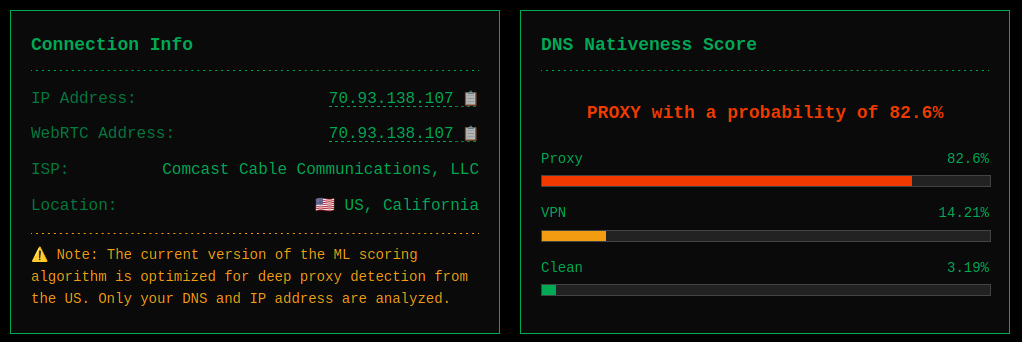
In this test, our IP is 70.93.138.107. Again, at first glance, everything is perfect: WebRTC is substituted correctly, and the ECS subnet completely matches. But due to anomalies in the DNS resolvers (a whopping 98 of them!), the algorithm confidently sounds the alarm: PROXY (82.6%).
Test #4
Next proxy:

Inserting it into ZloyRouter:

Gathering DNS resolvers — here we see a predominance of Google resolvers:
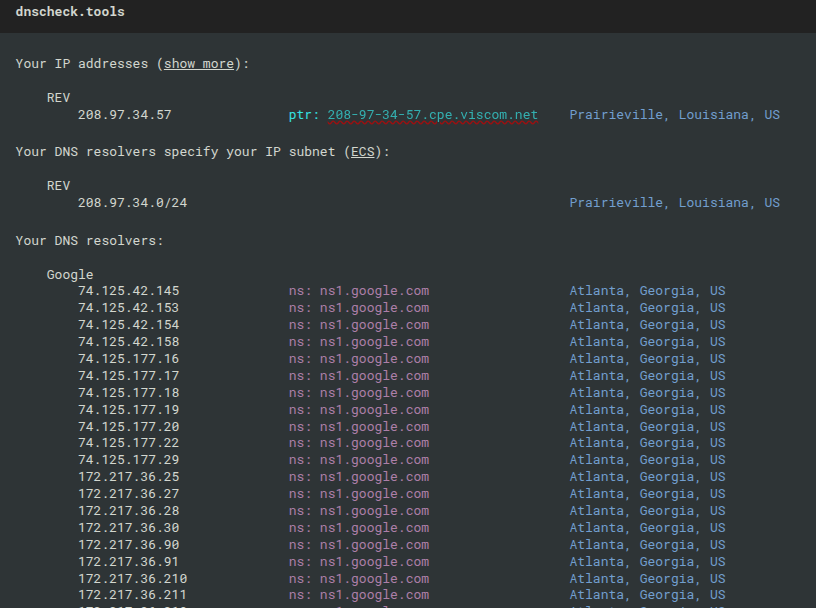
Sending it for checking:
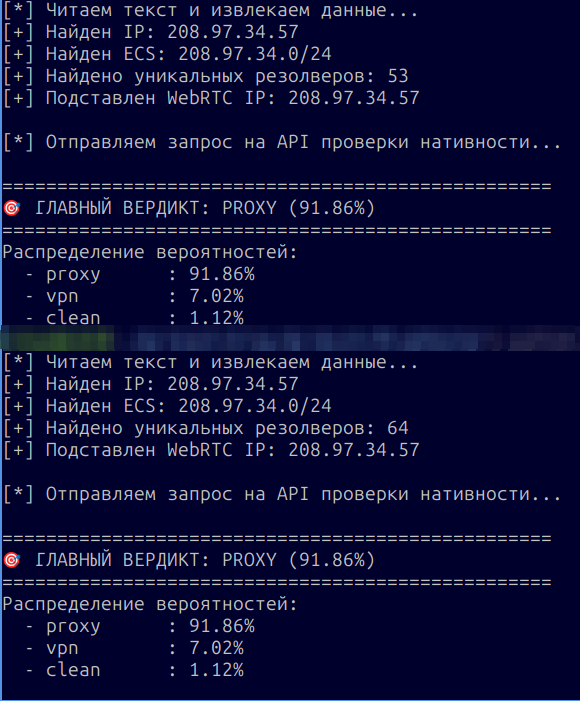
During the test, we accidentally ran the proxy through the check a second time — the results were exactly the same as the previous test, so these are not random, but statistically reliable metrics. The number of collected resolvers changed slightly (from 53 to 64 — a common occurrence when DNS balances the load), but the neural network produced an identical result down to hundredths of a percent, which proves: the model is deterministic.
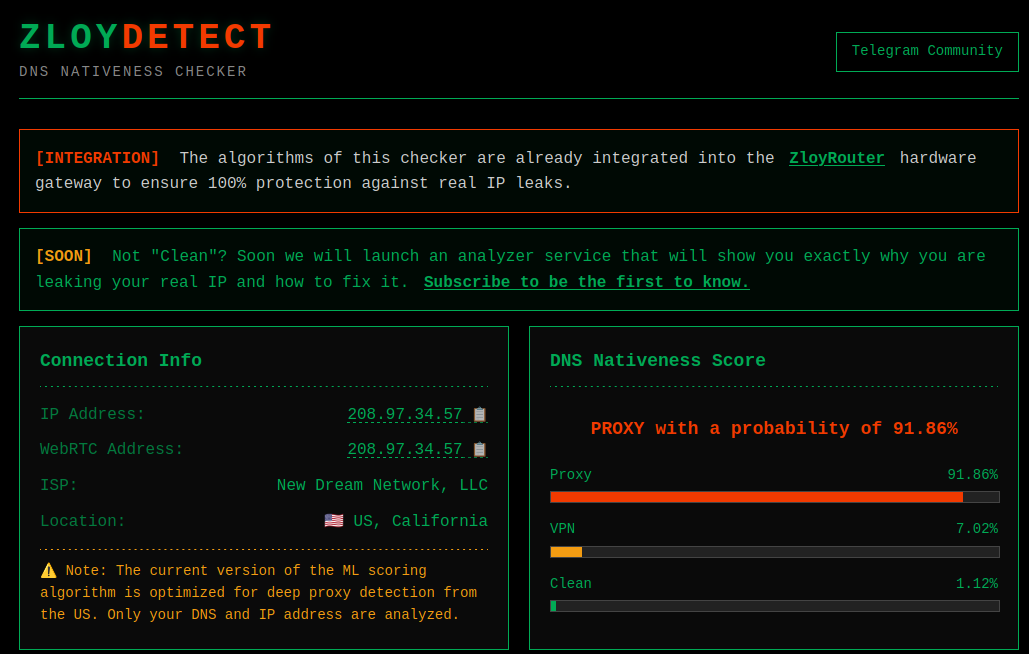
"What the hell?" — you might think, — "this must all be rigged!" But as you can see, the detection probabilities differ for all proxies, yet remain identical upon rerunning the exact same proxy.
Test #5
Alright, the last one. This proxy, by the way, is not $1, but $0.80:

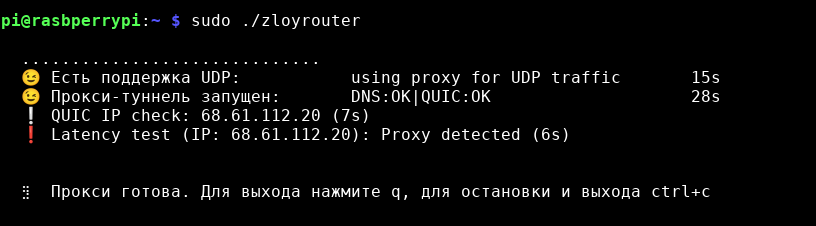
We insert it into ZloyRouter — it detects that UDP support is available and identifies the proxy via a latency test:
We check ourselves by going to the website dnsdetect.zl0y.team:
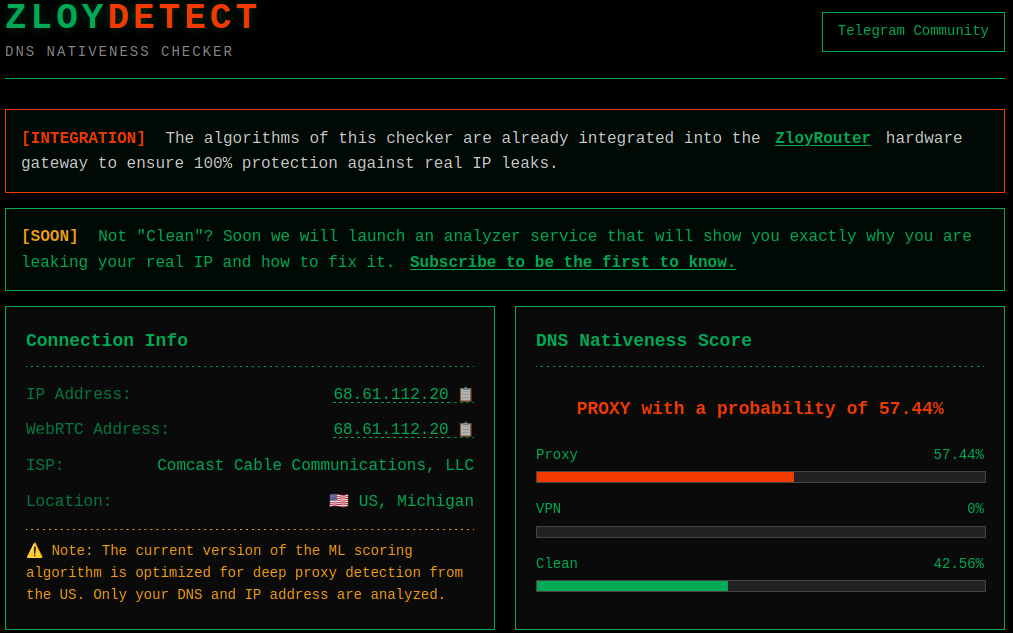
An ordinary miracle — the cleanliness metrics have multiplied, and proxy detection is slightly over 57% — the lowest result of the entire Nsocks test.
We are sure that after testing a couple more, we would definitely find a perfect proxy in Nsocks as well.
Summing up: proxies are a lottery
As you can see, buying even an expensive "residential" proxy does not guarantee a clean profile. Providers mix pools, balance DNS through data centers, and standard anti-detects, by blocking WebRTC, only exacerbate the situation, pinning a red flag on you for anti-fraud systems.
Finding the perfect proxy by blind trial and error is long, expensive, and dangerous for your accounts.
Stop guessing. Test it. We have moved our detection algorithm from a closed API to a convenient public interface. Now you don't need to write scripts or look at console logs — a check takes 1 click and ~20 seconds.
Go to the site with your proxy/VPN enabled and see how security algorithms view you:
- Are you leaking your real IP via WebRTC?
- Do your DNS match the claimed provider?
- And most importantly — what is your real nativeness percentage (Proxy / VPN / Clean)?
Tip
How to make any proxy 100% "Clean"? If you are tired of sifting through proxies in search of a perfect DNS and ECS match, as a reminder: the functionality for intelligent DNS spoofing (VDNS) and hardware blocking of UDP leaks are already built into ZloyRouter. The router will automatically pull the correct native DNS for your proxy, forcing anti-fraud systems to see you as a perfect residential user.
🏴☠️ Welcome to Zloy Party
Do you want to discuss such non-obvious mechanics of anti-fraud systems, but are tired of the information noise?
We know what many niche chats look like today: thousands of messages about nothing, toxicity, scammers at every turn, and a complete lack of useful information. Finding a grain of real knowledge there has become almost impossible.
That is why we created Zloy Party — a closed community for those who value their time, professionalism, and work for results.
What awaits you inside:
- 🚧 Strict audience filter. A nominal paid entry ($5 per month) filters out 99% of spammers, trolls, and "make-money-fast" button seekers.
- 🤫 Insights and early access. Things we will never publish in the open: breakdowns of WAF algorithms, new methods of fingerprint spoofing, and beta tests of our private tools.
- 🤝 Ecological networking. Only engineers, practitioners, and clients of the ZloyTeam ecosystem. An exchange of real experience, not dry theory.
- 👁️🗨️ Direct line to the team. Direct contact with the developers of ZloyRouter and prompt answers to your hardcore technical questions.
Stop wasting time on flood. It's time to work.
🔗 Get a pass to the closed club (Zloy Party Pass)
📢 And you can follow the project's public news and open updates for the checker in the main channel: @ZloyTeamNews